

37 How to choose a rugged tablet
The rugged tablet is primarily used in the professional and industrial sectors. There are many references and a large number of tablet brands. Therefore, it is not always easy to select a device that will meet 100% of the needs of its users.
That’s why we offer to decode and describe the main physical criteria and technical characteristics to consider in order to choose the rugged tablet that is best suited. We will present to you the different levels of resistance, screen sizes, brightness levels, water resistance, computing power, available operating systems, connectivity, ports, and finally, the options and accessories available
The resistance of the rugged tablet
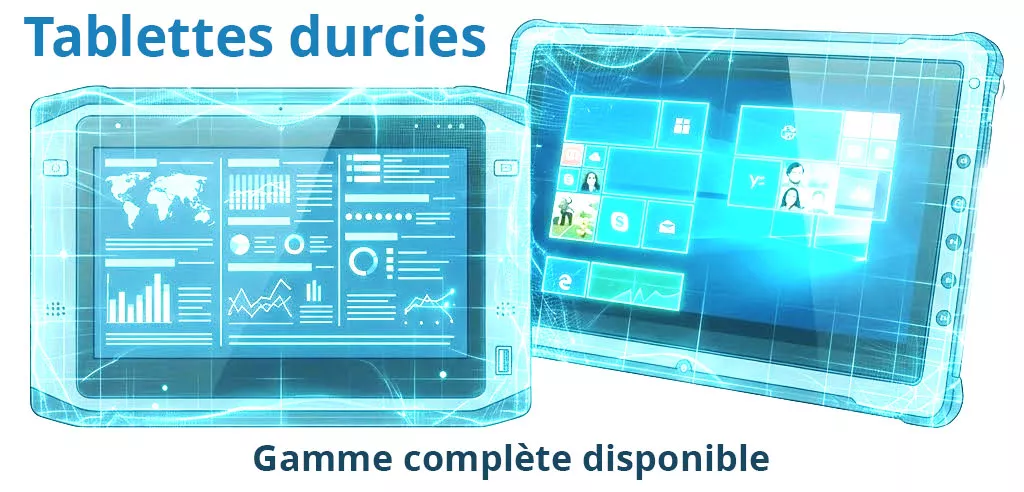
A rugged tablet, also sometimes called an industrial tablet, offers different levels of resistance. It is therefore essential to define the desired level of sturdiness. Generally, there are 2 levels: rugged and semi-rugged. These characteristics are usually applied to the chassis or casing as well as to the screen.
Semi-Rugged Versions
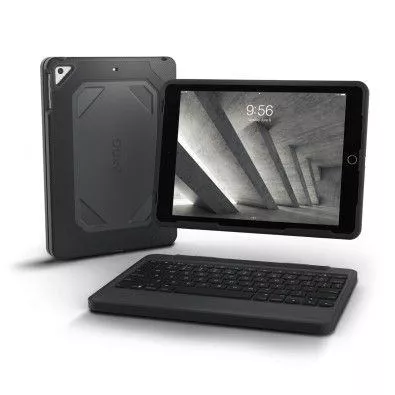
A semi-rugged tablet is generally designed to withstand intensive use over time in so-called "reasonable" conditions. It features a chassis created to withstand low-intensity shocks and low-height drops or falls. These characteristics are typically found in the technical specifications. Some references of touch tablets are also resistant to vibrations (up to a certain level) measured in G over a period.
In addition to the rugged nature of the case, it is not uncommon to find a specific treatment for the screens. Thus, the Gorilla Glass technology is generally noted for protecting the touch panel of the tablet.
It is important to note that even a semi-rugged tablet is much more resistant than a consumer version.
This type of equipment is generally selected for professional use that does not require significant resistance to environmental nuisances or falls. We recommend them for intensive use in mobility situations.
The fully rugged versions
A rugged tablet offers a chassis strength that is very significant. To confirm and validate this level of resistance, the computing equipment possesses an appropriate certification from the MIL-STD standard (military standard created by the American defense to ensure a high level of resistance for the equipment).
For tablets, the most widely sought certification is the MIL-STD-810G. This standard from the US military consists of several tests of resistance, strength, and durability. It is now widely used and acclaimed around the world. Several testing methodologies are applied to validate resistance levels on the following characteristics:
- Resistance to pressure at altitude
- Resistance in a high-temperature environment
- Resistance in a very low-temperature environment
- Resistance to thermal shocks (sudden temperature changes)
- Resistance to humidity
- Optimal operation even after prolonged exposure to fine particles like dust
- The equipment maintains its integrity during intense and long vibrations
- Drop resistance
- Resistance to condensation during temperature shocks
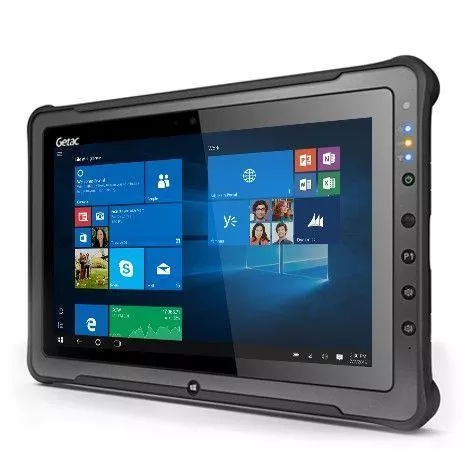
The tablets that comply with this standard are referred to as rugged or ultra-rugged tablets. They ensure optimal performance even in conditions that are not at all suitable for the use of computer equipment. This category of tablets is widely used in many fields such as:
Oil | Agriculture | Surveyed lands | Logistics | Marine | Logistics | Industry | Defense | Construction / Public Works | Pharmacy | ...
We recommend this equipment for intensive use in environments that can sometimes be difficult for electronic components.

The ATEX versions
Finally, there are explosion-proof tablets that meet international ATEX and ETL certifications. They are designed for use in an explosive atmosphere. You will mainly find two types of references:
- The standard ATEX versions
- The optional ATEX versions
The manufacturer Getac offers many ATEX-compatible tablets optionally, such as the Z70, the F110, or the EX80.
As for the ATEX zones, they are generally specified in the technical documentation. Please feel free to contact us if you would like more information.
Select a screen size
The screen size is the second criterion generally favored by our customers. Rugged tablets are available in several sizes ranging from 5" (smartphone format) to 14". The choice of the touchscreen size and therefore of the tablet depends on the intended uses, the application that will be used, and the minimum required resolution.
Smartphone Format Screens
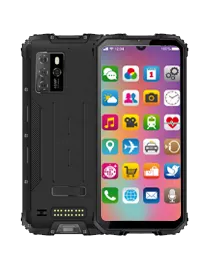
The range of screens with a size from 5" to 6" is reserved for smartphone format tablets. The display therefore has compact dimensions similar to a phone. This type of equipment is generally used in logistics. It is often accompanied by a barcode reader or NFC/RFID.
This allows operators to perform tracking or counting simply with a device in the palm of their hand. The main advantage of these dimensions is the weight and the ultra mobility that it provides.
It is worth noting that it is not uncommon to select this type of format in the field of logistics or even transportation. Indeed, they fit extremely well on the wrist or in the palm of the hand. Moreover, these devices are generally equipped as standard with 1D and 2D barcode readers.
7" to 10" Screens
In the field of industrial tablets, there are 3 key dimensions that are widely used by professionals: 7", 8" and 10".
The 7" format is the most portable of the 3 dimensions and has historically been the size of the first touchscreen slabs of consumer tablets. It offers a pleasant reading experience in a compact format with dimensions quite acceptable for professional use. Our clients tend to prefer this format with Google's Android operating system. Optimized for smartphones, they then get the best experience from their devices.
The rugged tablets 8" and 10" are currently the most used in the rugged computing field. Indeed, these formats provide a very interesting ratio of usage / weight / resolution. The resolutions offered allow the majority of business applications to function. The use of Microsoft Windows and Android is perfectly suited. It is therefore logical that this type of format is widely favored.
11" and larger formats for portable tablets
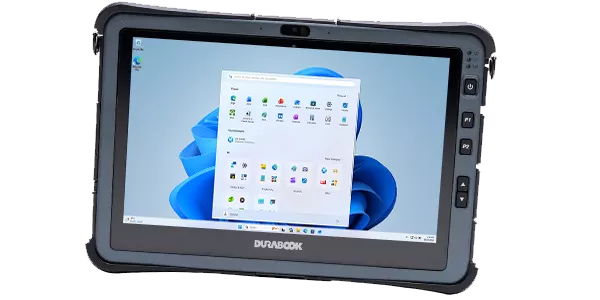
Beyond 10", the screen sizes of 11", 12" and 14" are available. Once you enter these ranges, the format increasingly resembles laptop sizes and thus the weight of the tablets increases significantly. This additional weight makes them less mobile in use and can quickly tire a user who carries it at arm's length.
However, they remain widely used across many fields and professions. The main utility of this form factor is the screen's readability and resolution. Indeed, whether it is on an 11" tablet (see our comparison of 11" tablets) or 14", the reading comfort is real and greatly appreciated by professionals.
One of the most referenced models used by our clients in the 11" format is the Getac F110 tablet. It primarily attracts attention due to its rugged character and waterproofing, as well as its numerous options.
Business applications, Windows applications, and the Microsoft Office suite are all perfectly usable. Moreover, these solutions generally come with complete accessories, including an optional keyboard. You can thus transform the rugged tablet into a rugged laptop.
The brightness of the screen
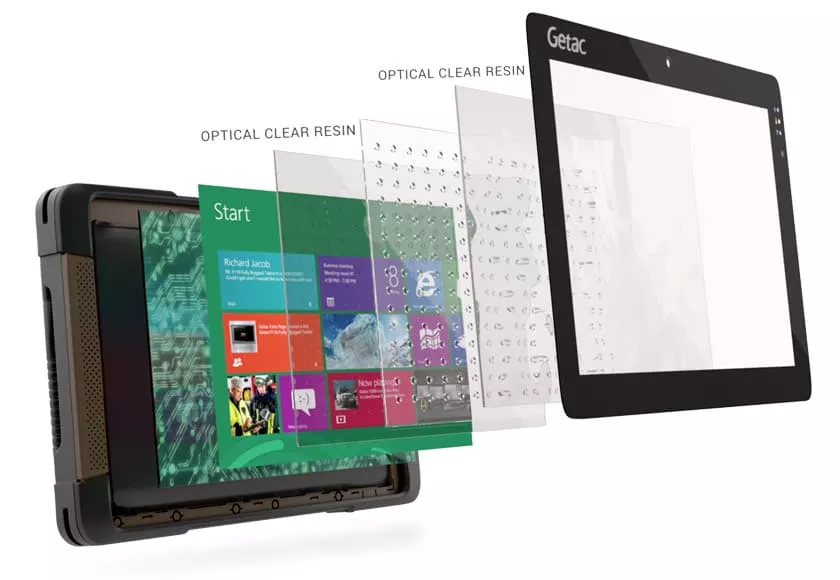
This third characteristic is often underestimated and yet it is crucial for the use of the tablet. Indeed, the brightness level of the screen directly affects its use indoors or outdoors. Low brightness makes reading very difficult, if not impossible, in very bright environments such as in direct sunlight. If the use is mainly intended indoors, then the high brightness option, also known as sunlight readable, is not mandatory. Otherwise, we advise you to select a tablet with this option. Manufacturers have created different technologies to address this issue. For example, GETAC tablets offer Lumibond technology (a series of filters integrated into the screen) which ensures very pleasant reading both indoors and outdoors, even in direct sunlight. Others offer very high brightness levels controlled by a sensor that detects changes in light and adjusts the contrast and brightness levels of the screen accordingly. The brightness is thus automatically adjusted based on this. Note that depending on the technologies used, battery life may be significantly affected.
The industrial tablet's level of waterproofing
Another criterion to help you choose the perfect rugged tablet is its waterproofing. Again, this characteristic depends on the environment in which the tablet will be used. There are several levels of waterproofing for these devices that range from none to IP69.
The IP protection rating
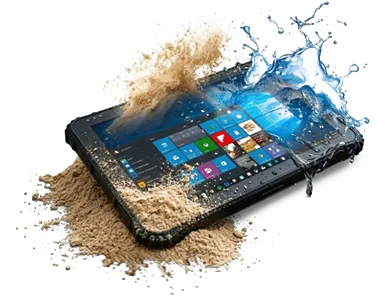
There are very few references compatible with the IP69 protection index but they do have the advantage of being completely resistant to dust and even to temporary immersion.
The majority of references today are either IP65. This means they are resistant to dust and fine particles as well as to water jet projections. We recommend this type of sealing if you are planning to use this tablet outdoors. Other cases may of course require this level of protection.
Corrosion protection

In order to address the issues of metal corrosion, connectivity, or the coating of the tablet chassis, it is necessary to select a tablet with a particular option: salt fog protection.
Even though its name does not explicitly describe it, this test ensures that the material is resistant to corrosion. We encourage our customers to select a reference with this option when the tablet will be used in rivers or at sea or in the marine field.
Corrosion Protection
In order to address the issues of corrosion of metals, connectors, or the coating of the tablet chassis, it is necessary to select a tablet with a specific option: salt fog protection.
Even though its name does not explicitly describe it, this test ensures that the material is resistant to corrosion. We encourage our customers to choose a reference with this option when the tablet will be used in rivers or at sea or in the marine sector.
The Power of the Tablet
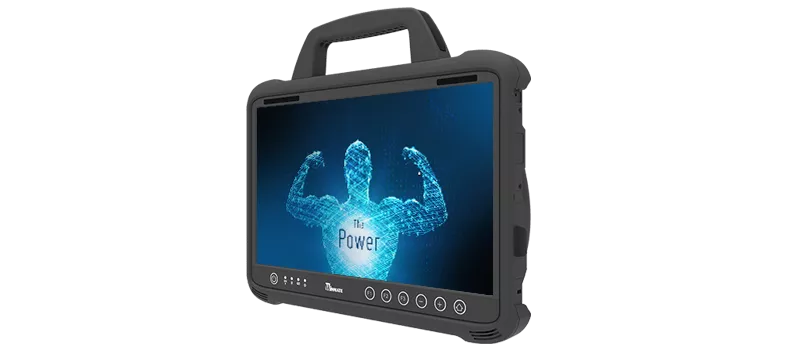
The physical characteristics we discussed earlier allow you to select the type of protection, the size, and the type of screen of the tablet that will suit you. This way, you select a suitable material with maximum longevity.
Regarding technical characteristics, they are also significant. Indeed, it is important to define technical prerequisites. These criteria arise from the software use that will be made of the tablet.
A tablet as a lightweight client
If your hardware has only one goal, to use a web browser like Chrome, Firefox, Internet Explorer, or Edge as a lightweight client for your application, then a low-powered tablet is sufficient. In this case, we recommend looking for versions equipped with a ATOM or Celeron processor.
If you wish to use Windows 10, it is important to choose a version with 4 GB of RAM. Otherwise, 2 GB will suffice.
In the case of using Google Android, we recommend installing the Google Chrome browser instead of the browser sometimes provided by default by the manufacturer.
Using a business application
This time, everything will depend on the prerequisites your application publisher has provided. If it is necessary to process a lot of data or multimedia/3D content, we recommend selecting a powerful rugged tablet. For example, there are versions with Intel Core i5 and even i7 processors with 8, 16, or even 32 GB of RAM.
Once again, if the technical prerequisites are modest, the choice is large, and the processor will matter little.
As you may have seen above, the choice of processor and RAM truly depends on the software that will be hosted on the platform. Generally, small-sized tablets are equipped with ATOM and Celeron type CPUs. Regarding screen sizes of 10" and above, you will find references with Intel Core i5 processors and higher.
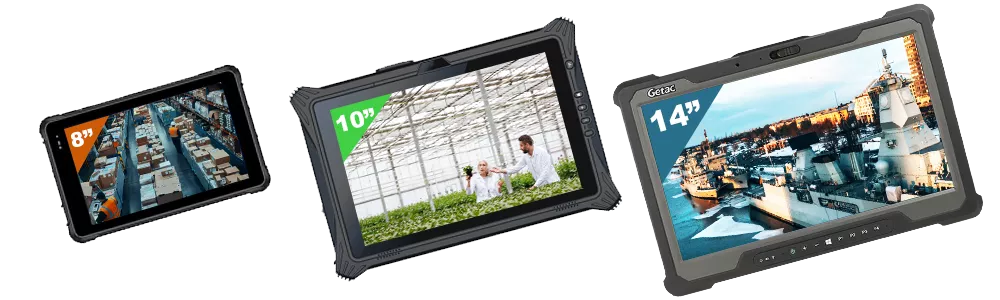
The TPC-GS0881F (Android version) or the TPC-GS0881 (Windows version) are rugged 8" tablets from Geshem. They are designed for demanding environments offering complete connectivity, integrated NFC technology, long battery life, and IP67 waterproofing. They are ideal for logistics and handling, inventory management, connected agriculture... These models are close in size to smartphones but have the power and connectivity of a rugged laptop.
Also, the 10" Fieldbook P101 is an IP65 waterproof tablet, durable and very connected. This model has been designed for intensive field use with a high-brightness screen (to remain readable outdoors even in direct sunlight), a hot-swap battery (removable during use for replacement), an integrated GPS, and complete connectivity. For industry, agriculture, logistics... it's a very versatile model.
High-end, high resistance, and large size, the Getac A140 is a rugged 14" large format tablet designed for field productivity requiring wide and precise visibility. Its powerful processor configurations and connectivity make it a perfect ally for law enforcement, defense, marine applications, expeditions in hostile environments (desert, wet jungle, polar environments down to -29°...)
The choice of the operating system that will host your applications
The choice of operating system is crucial for the proper functioning of your applications. Unlike a laptop, mobile devices are mostly compatible with one or two OS at most.
Three types of operating systems are available on rugged professional tablets:
- Microsoft Windows (10, 11 as well as IoT Enterprise versions)
- GNU/Linux (various versions)
- Google Android (various versions)
The first criterion to consider is the application that will be hosted on your device. Depending on its prerequisites, you will have no choice but to select the appropriate OS (Operating System).
If your software layer does not involve the choice of a particular system, then three criteria need to be considered in order of importance :
- the security and IT policy of your company
- the possibilities of installing third-party tools (Google Play Store or executable or application from the Windows Store) depend on the GMS Google Mobile Services certification
- your preference / experience with the OS
Network Connectivity

When considering choosing a rugged tablet as a computing device for employees, it is primarily for reasons of mobility and practicality. Indeed, this type of format is particularly suited for use in the field or outdoors.
These uses come with the requirement for a quality connectivity to continue communicating with the internet or the company's information system. Several functions are available to meet various needs.
The Ethernet network
In the consumer market, there are few if any tablets equipped with an Ethernet connection, also called RJ45. However, this is more often the case for professionals. That is why rugged tablets sometimes have Ethernet LAN functionality as standard or optional. This port may be available directly on the tablet or via a docking station for a desk or vehicle. Companies look for this type of functionality when the tablet is installed on a dock, or a workstation or for data synchronization.
A tablet with WiFi/Bluetooth
Nowadays, the vast majority of rugged tablets come with WiFi as standard. Depending on the type of tablet, the built-in antennas are more or less powerful. Be careful all controllers are not compatible with WiFi 5GHz and even less so with WiFi 6. As for Bluetooth, the same goes for it. It allows you to connect the tablet to nearby media. It is also easy to pair nearby devices directly with the tablet.
5G
The 5G, deployed in France since 2020 (full coverage of the territory after 2030), mainly brings three major gains compared to 4G: higher bandwidth, lower latency, and better capacity to connect a large number of devices. This network will become very efficient if it becomes widespread as an option on our mobile tablet models.
Note: Just because the tablet has a slot for a SIM card does not mean that the 4G/5G module is integrated. It is often an option. These options cannot be activated after purchase.
Connectors or Inputs / Outputs
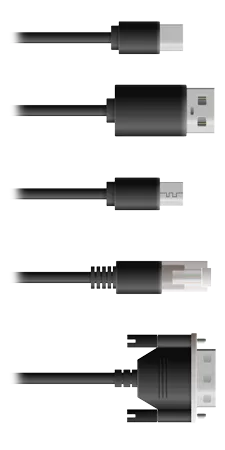
In order to fully meet your needs, a rugged tablet must have the appropriate connectivity. This type of hardware generally includes at least one USB port as an input / output.
However, it is also common to find the following I/O ports:
HDMI / Mini HDMI
USB 3.0
Ethernet
RS-232 or RS-485 Serial Port
micro USB
USB-C
SD Card
...
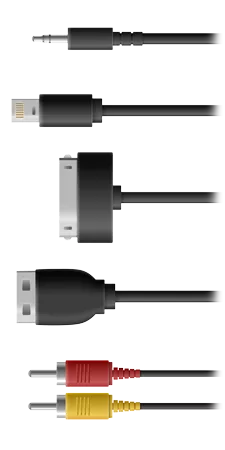
The available options
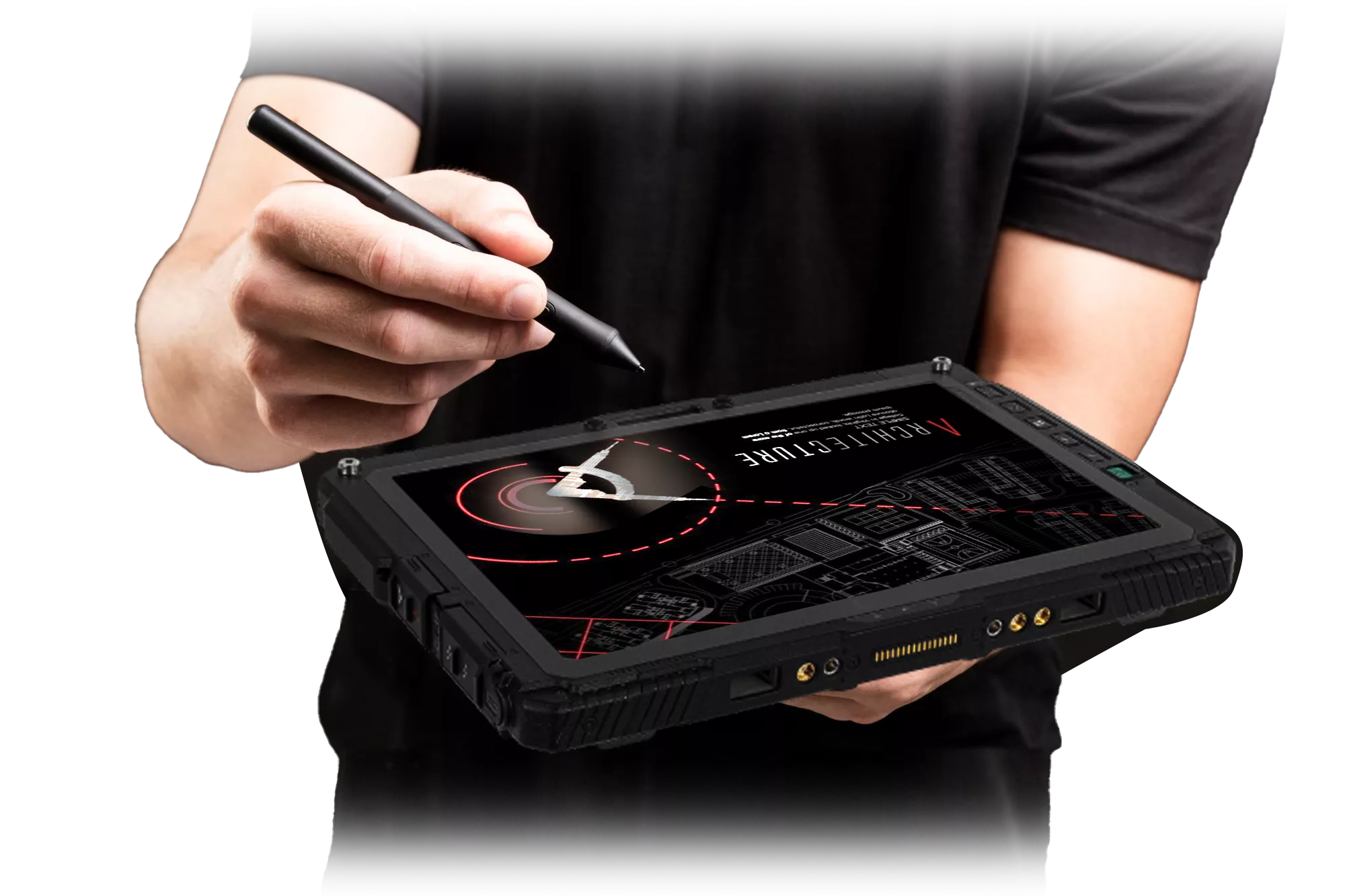
Another criterion that may be important in your decision-making regarding selecting a reference is the available options catalog. Indeed, the vast majority of players in the rugged mobile hardware field offer numerous options and extensions.
These options can be materialized in the form of modules that add functionalities such as:
- 1D/2D barcode reader
- NFC/RFID reader
- Smart Card reader
- Fingerprint reader
- 4G LTE module
- GPS module
- ...
Moreover, within these options, we will also find all the connectivity:
- Serial port,
- RJ-45 port
- USB 2/3 ports
- ...
NB: Models that offer many options are less frequently in stock. This is mainly due to the too many possible references. If you want to acquire tablets quickly, you generally need to opt for a standard version with the least extensions or options possible. Otherwise, you should expect several weeks for delivery.
Accessories for a complete tablet
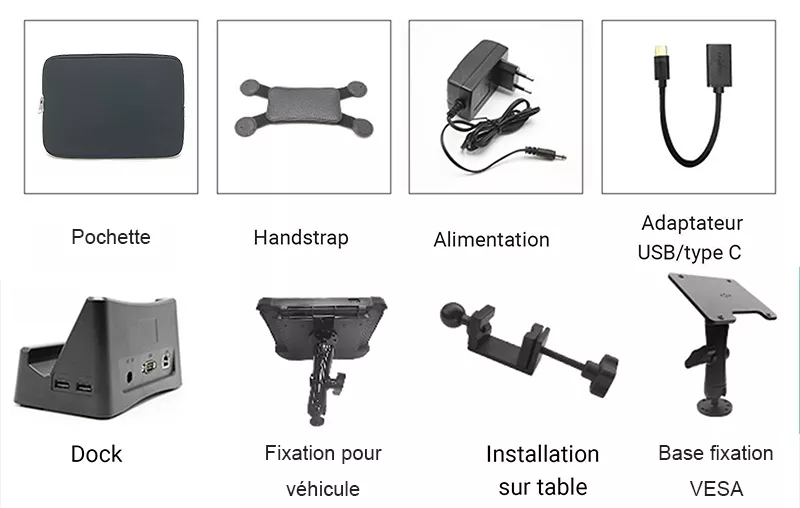
Finally, in order to complete the characteristics to consider to help you choose your rugged tablet it is necessary to take into account the accessories.
Depending on the brands and the references there are different accessories available. The equipment most often offered by our suppliers includes:
- Desktop docking station
- Vehicle docking station
- VESA mounting kit
- Multi-battery charger
- Spare battery
- A complete kit of handles and straps (Handstrap, Shoulder strap etc...)
- Pens
- Screen protector film
- ...
Conclusion
This article outlines the main characteristics to consider when selecting a rugged tablet reference. Other points have not been taken into account such as the storage for which there is generally always a wide choice. Moreover, an integrator, like Integral System, can customize the storage volume on request for the majority of references.
You will also find the accuracy of the GPS, battery life, the possibility of having Hot-Swappable batteries (hot-swappable), ...
As you have noticed while reading this article, the selection of the ideal hardware may not be an easy task. That is why our teams can assist you and guide you in the choices that will best meet your needs.
Can't find the tablet that's right for you?
This guide to finding your rugged tablet is not exhaustive. Are you looking for a tablet with specific features? Don't hesitate to contact us by email or phone.
Our teams will help you find the perfect product!
A quote?
Our teams are available to create a custom quote for you. You can also directly use the website to request a quote by adding the tablet to your cart.
We will respond to you as soon as possible!